
Google Looker Studio Course
Bring your data to life with insightful, interactive reports. In this 1-hour beginner course, you’ll learn how to use Google Looker Studio.
*With Pathfinder closing, course access will end on March 31, 2026.
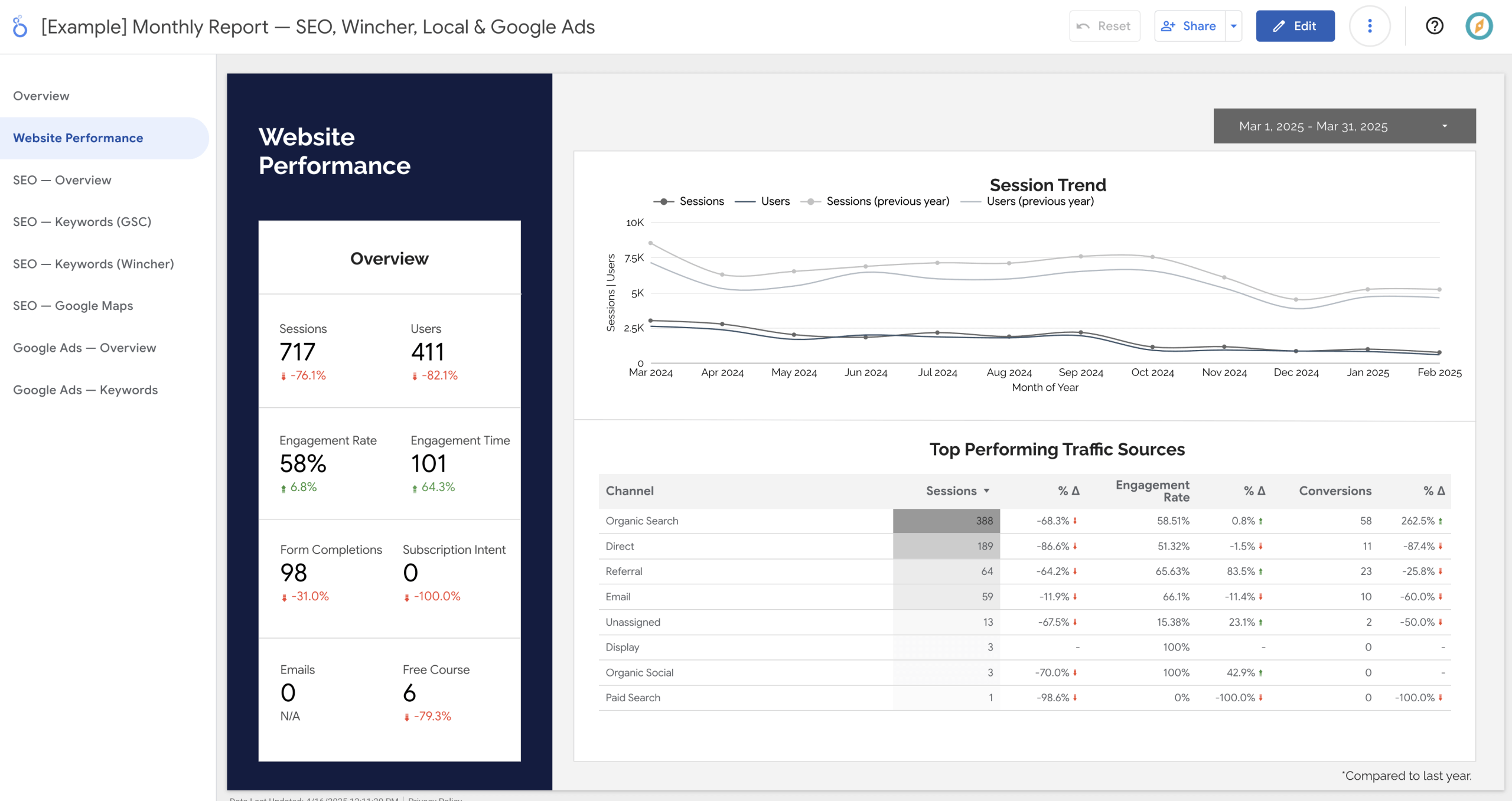
If you're like most marketers, you're swimming in data — from Google Analytics, Search Console, Google Ads, email marketing, and more. How do you turn the data from multiple platforms into a clear, visual report that tells a story?
Fortunately, there's a tool that can help. Google Looker Studio makes it easy to build custom dashboards and reports that bring your data to life — for you and your clients. In this 1-hour beginner course, you’ll learn how to use it.
You'll learn:
- Connect Google Looker Studio to Google Analytics, Google Search Console, and more
- Create custom reports and dashboards with charts and tables
- Build a clean, client-friendly SEO or marketing report
- Create automated reports, including email scheduling
- Avoid common pitfalls and troubleshoot your setup
You'll receive:
- One hour of on-demand video lessons
- Supporting written content
- Lifetime access
- Google Looker Studio template for SEO reporting
- Option to join the Pathfinder SEO community for coaching and more
*With Pathfinder closing, course access will end on March 31, 2026.
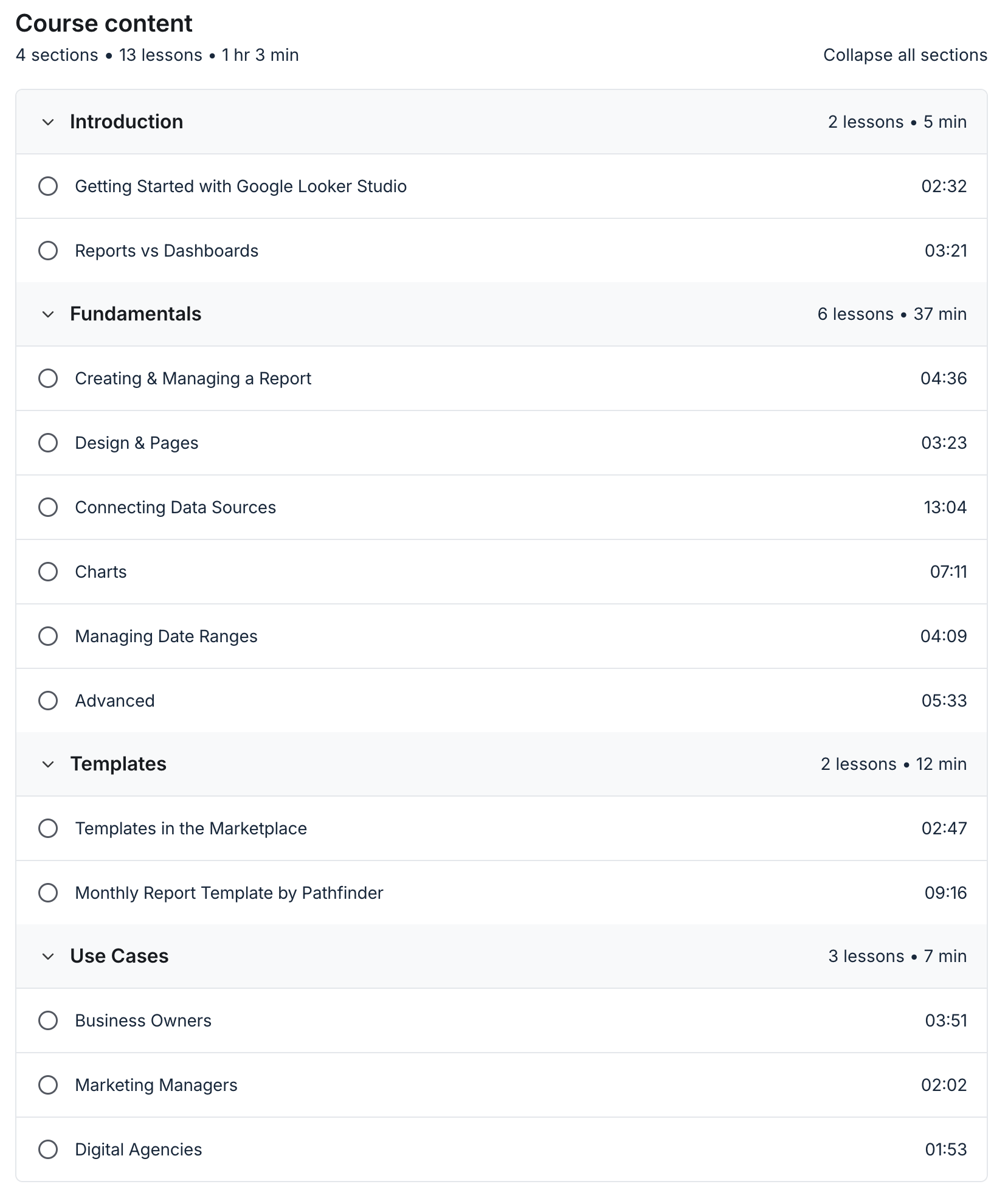
Course Curriculum

Hi, I'm Lindsay Halsey
INSTRUCTOR
As the co-founder of an SEO agency and a digital educator, I’ve built hundreds of reports for clients over the years. I’ve seen firsthand how powerful a well-designed dashboard can be — and how intimidating data can feel when you're just starting out.
In this course, I’ll guide you through Google Looker Studio in a way that’s simple, practical, and designed for non-technical users. No jargon. No fluff. Just the tools and know-how to get you started with confidence.